


- Written by: Hummaid Naseer
- August 4, 2025
- Categories: Tech Stack
Continuous Integration (CI) and Continuous Delivery (CD) have become the backbone of modern development, enabling teams to release updates faster without compromising stability. It ensures every code change is automatically tested and merged, catching issues early and reducing integration headaches. CD takes it a step further, automating deployments so new features and fixes reach users faster and more reliably. Together, CI/CD transforms how teams build, test, and deliver software, making development cycles shorter, safer, and far more scalable.
What Is Continuous Integration (CI)?
Continuous Integration (CI) is a development practice where developers regularly merge their code changes into a shared repository, often several times a day. Each integration triggers an automated build and a series of tests, helping teams detect bugs early and maintain a healthy, working codebase at all times.
By catching issues at the point of integration rather than later in the development cycle, CI reduces debugging time, improves collaboration, and supports faster iteration.
Key Features of CI:
Version Control Integration
Tools like Git track changes and enable seamless collaboration.Automated Testing
Unit and integration tests run automatically to validate each code change.Static Code Analysis
Ensures code quality, style consistency, and catches potential vulnerabilities early.Build Automation
Systems like Jenkins, GitHub Actions, and CircleCI compile, test, and package code without manual steps.
What Is Continuous Delivery (CD)?
Continuous Delivery (CD) extends the benefits of Continuous Integration by automating the deployment process to staging or production environments. With CD, every code change that passes automated tests is packaged and prepared for release, ensuring that your application is always in a deployable state.
While the final push to production can still be a manual decision (often to allow for business timing or final approvals), the path to deployment is fully automated, minimizing human error, increasing release confidence, and enabling faster, more reliable delivery cycles.
Key Features of CD:
Artifact Storage and Versioning
Built packages are stored with version control for traceability and rollback.Staging/Test Environments
Deployments are automatically pushed to test or staging environments for validation.Automated Deployment Scripts
Infrastructure-as-Code and automation tools handle setup, configuration, and deployment seamlessly.Approval Gates or Manual Triggers
Optional manual approvals before pushing to production allow for business oversight and risk management.
CI vs CD: What’s the Difference?
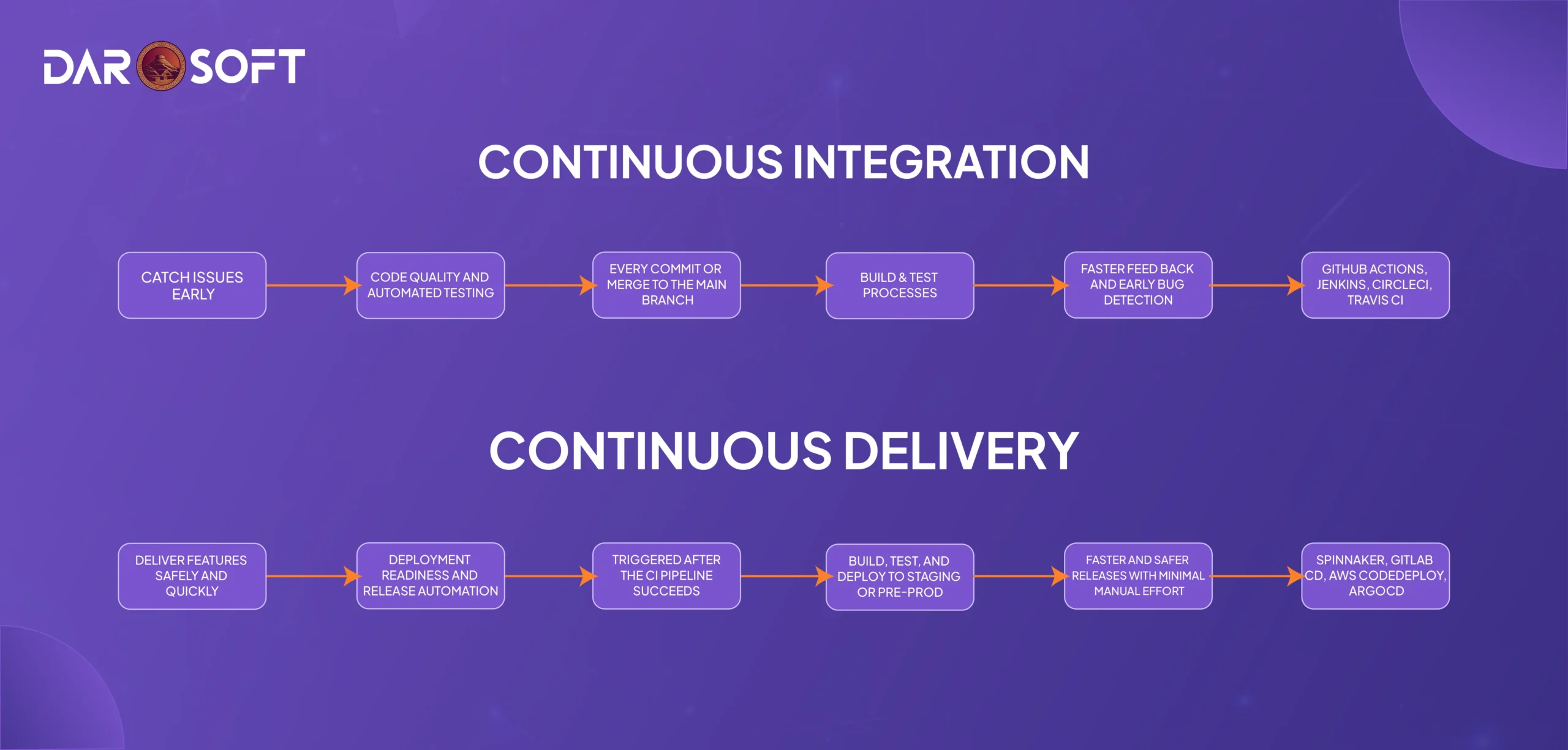
Feature | Continuous Integration (CI) | Continuous Delivery (CD) |
Goal | Catch issues early | Deliver features safely and quickly |
Focus | Code quality and automated testing | Deployment readiness and release automation |
Trigger | Every commit or merge to the main branch | Triggered after the CI pipeline succeeds |
Automation Level | Build & test processes | Build, test, and deploy to staging or pre-prod |
Primary Benefit | Faster feedback and early bug detection | Faster and safer releases with minimal manual effort |
Tools Used | GitHub Actions, Jenkins, CircleCI, Travis CI | Spinnaker, GitLab CD, AWS CodeDeploy, ArgoCD |
Benefits of CI and CD (Individually & Together)
Continuous Integration (CI)
Detect bugs early in the development cycle
Receive fast, automated feedback on every code change
Reduce integration issues across teams
Improve overall code quality and stability
Continuous Delivery (CD)
Accelerate time-to-market with automated deployments
Reduce manual errors and deployment risks
Minimize release-day stress and last-minute surprises
Enable more frequent and predictable releases
CI + CD: The Full Pipeline Advantage
Build, test, and deliver with continuous confidence
Shorten development cycles without compromising quality
Empower teams to release features safely at any time
Create a culture of collaboration, automation, and reliability

Popular Tools That Power CI/CD Pipelines
Modern CI/CD pipelines are powered by a rich ecosystem of tools designed to automate, monitor, and streamline software delivery from code to production. Here’s a breakdown of the most widely used tools across stages:
CI Tools (Continuous Integration)
These tools automate building, testing, and validating code with every commit:
Jenkins: Open-source, highly customizable, plugin-rich CI tool
GitHub Actions: Native CI/CD within GitHub, ideal for code-first workflows
GitLab CI: Fully integrated with GitLab’s platform for code, CI/CD, and DevOps
CircleCI: Cloud-native CI focused on speed, scalability, and developer experience
CD Tools (Continuous Delivery/Deployment)
These tools automate deployments to staging, production, or cloud environments:
ArgoCD: GitOps-based CD tool for Kubernetes
Spinnaker: Multi-cloud delivery platform with powerful deployment pipelines
AWS CodeDeploy: Native AWS tool for automated deployments to EC2, Lambda, or on-premises
Octopus Deploy: Friendly UI and strong release management for .NET and enterprise apps
Supporting Infrastructure Tools
Power your pipelines with modern deployment, configuration, and orchestration:
Terraform: Infrastructure as code for provisioning cloud resources
Kubernetes: Container orchestration for managing microservices at scale
Helm: Kubernetes package manager for deploying applications with templates
From Commit to Staging in Minutes
Let’s walk through a simplified CI/CD pipeline that takes a code change from a developer’s machine to a staging environment in just minutes.
Git Commit
A developer pushes code to the main branch (or opens a pull request).
Automated Tests (CI Phase)
CI tools like GitHub Actions or Jenkins run:
Unit tests
Integration tests
Static code analysis
If anything fails, the pipeline halts and feedback is sent instantly.
Build Artifact
Once tests pass:
The application is compiled (if applicable)
A deployable artifact (e.g., Docker image, JAR file, static files) is created
The artifact is versioned and stored (e.g., in AWS S3, Docker Hub, or Nexus)
Deploy to Staging (CD Phase)
Deployment scripts (using tools like ArgoCD or AWS CodeDeploy) push the artifact to a staging environment, where:
Smoke tests run
Preview environments may be spun up
Product and QA teams review the changes
Approval Gate
Before going live, an approval step allows a team lead or product owner to green-light the release.
Deploy to Production
After approval, the system automatically deploys to production. This may include:
Blue/green or canary deployments
Rollback logic if issues are detected
Notifications to Slack or email
Result: Code changes go from commit to staging in minutes, with minimal human intervention and maximum confidence.
Conclusion
CI/CD isn’t just about pipelines or automation scripts; it’s a mindset shift that transforms how software teams build, test, and deliver value. By adopting Continuous Integration and Continuous Delivery, organizations gain more than just technical efficiency; they unlock faster releases, higher code quality, and tighter team collaboration.



