- Written by: Hummaid Naseer
- September 17, 2025
- Categories: UI & UX
As a web designer, your job isn’t just to make websites look beautiful. It’s to make them usable by everyone. Accessibility in web design means creating digital experiences that remove barriers, ensuring people of all abilities can interact with your site comfortably.
Why Accessibility Matters in Design
Inclusive Design = Better Design: A site that works for people with visual, auditory, motor, or cognitive challenges also works better for everyone else.
User Trust: When users feel welcomed and included, they’re more likely to stay and engage with your content.
SEO & Compliance: Accessible sites rank better on search engines and protect businesses from legal risks.
How to Design for Accessibility
Color & Contrast Choices
Ensure text is easy to read by using strong contrast ratios.
Don’t rely on color alone to convey meaning; pair colors with icons, labels, or patterns.
Typography & Readability
Choose clean, legible fonts with sufficient size and spacing.
Avoid walls of text, break content into scannable chunks.
Navigation That Works for Everyone
Design menus that are easy to follow with both the mouse and keyboard.
Ensure focus indicators are visible when users tab through elements.
Accessible Images & Media
Add descriptive alt text for images so screen readers can interpret visuals.
Provide captions and transcripts for videos and audio.
Responsive & Mobile-First Design
Many users rely on mobile ensure designs adapt seamlessly across devices.
Test on different screen sizes and assistive technologies.
A Designer’s Mindset Shift
Accessibility isn’t a limitation on creativity. It’s a framework that pushes you to design smarter. When you think about contrast, readability, and inclusivity from the beginning, you create experiences that are more engaging, future-proof, and user-friendly.
Why Accessibility Matters in Modern Web Design
Accessibility in web design isn’t just a “nice-to-have” anymore; it’s a necessity. As the digital world becomes the default way people shop, learn, and connect, excluding users with disabilities isn’t just unfair, it’s costly. Let’s break down why accessibility should be at the heart of every modern website project.
Business Reasons
Wider Audience Reach: Over 1 billion people globally live with disabilities, representing a massive market segment. By making your site accessible, you tap into customers your competitors may be ignoring.
Better User Experience for All: Features like clear navigation, strong contrast, and captions benefit everyone, not just those with disabilities. Accessibility often improves retention, engagement, and conversions.
Stronger Brand Reputation: Brands that prioritize inclusivity build trust and loyalty. Users are more likely to recommend and return to businesses that care about accessibility.
Legal Reasons
Compliance with Standards: Many regions (including the U.S., EU, UK, and even emerging markets) enforce accessibility laws such as WCAG (Web Content Accessibility Guidelines) and ADA (Americans with Disabilities Act). Non-compliance can result in lawsuits, penalties, and reputational damage.
Risk Mitigation: Lawsuits related to inaccessible websites are rising every year. Proactively designing with accessibility in mind reduces legal and financial risks.
Ethical Reasons
Inclusivity as a Core Value: The internet should be a space where everyone can participate equally. Ignoring accessibility excludes millions of users from basic digital experiences.
Corporate Social Responsibility (CSR): Prioritizing accessibility demonstrates that your brand values diversity, equality, and fairness.
Design with Empathy: As a designer, your role is to remove barriers to accessibility, ensure no one is left behind.
Common Barriers That Exclude Users
Even the most visually stunning websites can unintentionally lock people out if accessibility isn’t considered. For users with visual, auditory, motor, or cognitive disabilities, small design flaws become major obstacles. Let’s look at some of the most common barriers:
Visual Barriers
Low Contrast Text: Light gray text on a white background may look modern, but it’s nearly impossible for users with low vision to read.
Missing Alt Text on Images: Without alternative descriptions, screen readers can’t convey the meaning of visuals to blind users.
Tiny Fonts or Poor Typography: Small, tightly spaced text can frustrate anyone, but especially those with vision impairments or dyslexia.
Auditory Barriers
No Captions on Videos: Users who are deaf or hard of hearing are excluded from understanding video content without captions or transcripts.
Audio-Only Instructions: Content relying solely on sound cues alienates users who cannot hear them.
Motor Barriers
Mouse-Dependent Navigation: Not everyone can use a mouse. Sites that don’t allow keyboard navigation make it difficult for users with mobility impairments to browse.
Small Click Targets: Buttons or links that are too tiny or closely packed together are frustrating for users with limited motor control.
Cognitive Barriers
Complex Layouts & Jargon: Overloaded designs with too much information or technical terms can overwhelm users with cognitive or learning disabilities.
Auto-Playing Content: Sudden motion, pop-ups, or sounds can disorient users and break their focus.
Key Principles of Accessible Web Design
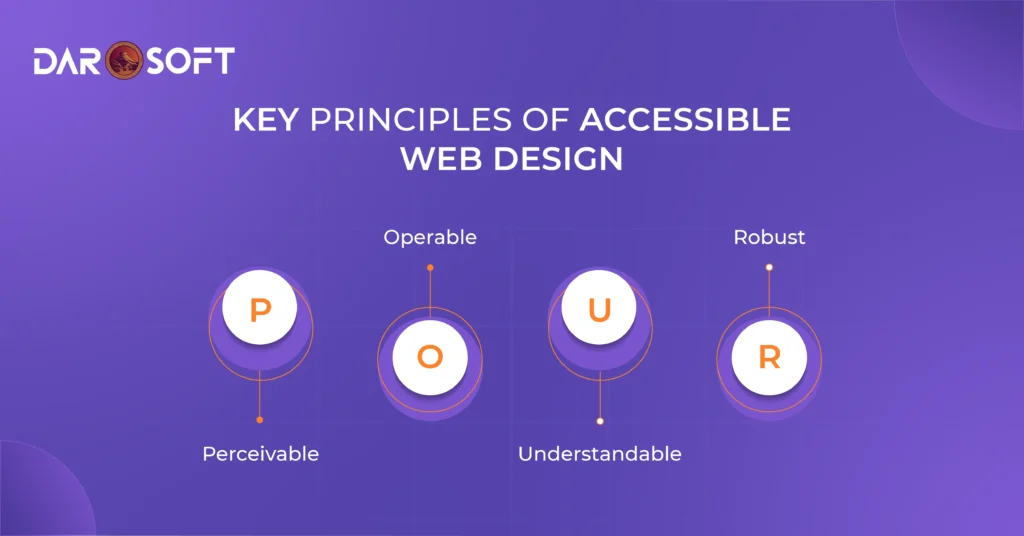
Accessibility isn’t just a checklist; it’s a mindset guided by four key principles outlined by the Web Content Accessibility Guidelines (WCAG). These principles, known as POUR, ensure websites are usable by people of all abilities.
Perceivable
Information and interface components must be presented in ways that users can recognise, regardless of sensory limitations.
Provide alt text for images so screen readers can describe visuals.
Use sufficient colour contrast for text and backgrounds.
Offer captions and transcripts for audio and video content.
Structure content with headings, lists, and landmarks to help users navigate.
Operable
Users must be able to interact with the site, no matter what device or tool they use.
Ensure keyboard accessibility for all menus, forms, and interactive elements.
Avoid features that cause seizures or motion sickness (e.g., flashing content).
Provide clear focus indicators so users can see where they are on the page.
Allow enough time for users to read and interact with content.
Understandable
Content and design should be easy to comprehend and predictable.
Write in clear, plain language whenever possible.
Use consistent navigation and layout across all pages.
Label form fields clearly and provide helpful error messages.
Avoid unexpected behaviours, like links that suddenly open new tabs without warning.
Robust
The site must be compatible with a wide range of devices, browsers, and assistive technologies.
Use clean, semantic HTML so screen readers can interpret elements correctly.
Test across multiple platforms (desktop, mobile, tablets).
Keep code updated and compliant with evolving web standards.
Practical Steps to Improve Website Accessibility
Designing for accessibility doesn’t always mean a complete website overhaul. Small, intentional improvements can dramatically enhance usability for people with disabilities and improve overall user experience. Here are some key steps every web designer should take:
Use Proper Colour Contrast
Aim for a minimum contrast ratio of 4.5:1 between text and background colours.
Don’t rely on colour alone to convey information (e.g., “click the red button”). Pair it with text labels or icons.
Use free tools like WebAIM Contrast Checker to test colour combinations.
Write Descriptive Alt Text for Images
Every non-decorative image should include alternative text that describes its purpose or meaning.
Keep alt text concise but meaningful (e.g., “Wheelchair-accessible entrance ramp” instead of “ramp”).
Decorative images should have empty alt attributes (alt=””) so screen readers skip them.
Ensure Keyboard Navigation Works
Users should be able to navigate your site without a mouse.
Test whether menus, buttons, and forms can be accessed via the Tab, Enter, and Arrow keys.
Add visible focus indicators (like an outline around the active element) so users know where they are.
Add Captions and Transcripts to Media
Provide captions for videos to support users who are deaf or hard of hearing.
Offer transcripts for podcasts or audio content so users can read instead of listening.
Use closed captions that can be turned on/off for flexibility.
Tools and Standards to Guide You
Designing with accessibility in mind doesn’t mean starting from scratch; there are established frameworks and tools that guide you in creating inclusive websites. These resources not only keep your site user-friendly but also help you stay legally compliant.
WCAG (Web Content Accessibility Guidelines)
Developed by the World Wide Web Consortium (W3C), WCAG is the global standard for digital accessibility.
It provides testable success criteria organised under the POUR principles (Perceivable, Operable, Understandable, Robust).
WCAG has different compliance levels: A (basic), AA (recommended), and AAA (advanced). Most businesses aim for AA.
WAI-ARIA (Accessible Rich Internet Applications)
A set of attributes that make dynamic content and interactive elements more accessible to screen readers.
Useful for menus, sliders, modals, and other complex UI components.
Example: Adding ARIA labels (aria-label) to buttons so assistive tech knows their purpose.
Accessibility Checkers
Automated tools help spot common accessibility issues quickly.
Popular options include:
WAVE (Web Accessibility Evaluation Tool)
axe DevTools (browser extension for developers)
Lighthouse (built into Chrome DevTools)
These tools highlight errors like missing alt text, poor contrast, or broken heading structures.
Why Standards Matter
Legal compliance: Many countries have laws requiring web accessibility (e.g., ADA in the U.S., EU Web Accessibility Directive).
Consistency: Following WCAG and using ARIA ensures a standardized experience across platforms.
Trust & reputation: Demonstrating accessibility commitment builds credibility with all users.
Accessibility Benefits Beyond Compliance
While many businesses focus on accessibility to avoid legal risks, the benefits extend far beyond compliance. Making your website inclusive not only helps people with disabilities but also enhances the experience for all users and strengthens your brand.
Better SEO Performance
Search engines read your site much like a screen reader does.
Alt text, transcripts, and semantic HTML improve content indexing, helping your site rank higher.
Accessible sites tend to load faster and have cleaner code, both of which Google favors.
Improved Usability for Everyone
Features like clear navigation, readable fonts, and high contrast make browsing easier for all users, not just those with disabilities.
Keyboard navigation benefits power users and people with temporary impairments (e.g., a broken mouse).
Captions help in noisy environments where listening isn’t possible.
Builds Customer Trust & Loyalty
Prioritizing accessibility sends a strong message: your brand values inclusivity.
Customers are more likely to support businesses that care about diversity and equal access.
An accessible site reduces friction, leading to higher engagement, longer visits, and more conversions.
Competitive Advantage
Many competitors still overlook accessibility. By embracing it, you differentiate your brand.
Inclusive design opens your business to millions of potential users who would otherwise be excluded.
Conclusion
Accessibility in web design isn’t just a box to check; it’s a long-term investment in your users, your brand, and your business growth. By removing barriers and making your website usable for everyone, you’re not only complying with standards but also enhancing user experience, building customer trust, and gaining a competitive edge.
When you design for inclusivity, you create digital spaces where all users feel welcomed and supported. That kind of experience pays back in loyalty, reputation, and sustainable growth.